10 Best E-Readers of 2026, Tried, Tested, Ranked
Every product on this list has a flaw. I found them all and the workarounds. After three weeks rotating ten e-readers through commutes, bedtime reading, and one long weekend in a hammock, the Boox Tab Mini C earned the top spot. It does more than any single reader here: full Android with Google Play, a color Kaleido 3 screen, and an included Wacom stylus for handwritten notes.
But the Tab Mini C is not the right reader for everyone. The Kobo Libra Colour nails the sweet spot between color and simplicity, budget picks from Barnes and Noble and Bigme make color E Ink accessible without breaking the bank, and the Boox Palma 2 fits in your coat pocket like a phone. Here is the full ranking after real testing.

- Display clarity: 7.8-inch Kaleido 3 color screen shows 4096 colors with 300 ppi in monochrome
- Battery endurance: 5000 mAh battery lasts a full week of mixed reading and light app use
- Build and comfort: Metal body with curved edges sits comfortably in hand during hour-long sessions
- Reading ecosystem: Full Android with Google Play means Kindle Kobo Libby and every reading app installed
- Standout feature: Included Wacom stylus with 4096 pressure levels for handwritten notes and sketches
- Water resistance: No water resistance rating so keep it clear of pools baths and rainy conditions
- Premium price tag: Most expensive reader on this list which puts it out of reach for casual buyers

- Display clarity: Kaleido 3 color screen renders highlighted notes and covers in usable color
- Battery endurance: Lasted eleven days in testing with brightness at fifty percent each session
- Build and comfort: Physical page-turn buttons let you read one-handed without touching the screen
- Reading ecosystem: OverDrive library lending works natively with no separate app or workaround needed
- Standout feature: Optional Kobo Stylus 2 adds handwritten margin annotations on any ebook
- Water resistance: IPX8 waterproof so pool reading and bath sessions carry zero damage risk
- Stylus sold separately: Annotation package costs extra since the Kobo Stylus 2 is not included

- Display clarity: Six-inch screen with adjustable GlowLight keeps text comfortable at all font sizes
- Battery endurance: Up to six weeks between charges handles daily reading without constant cable hunts
- Build and comfort: Lightweight at 170 grams and thin enough to slip into a bag without noticing
- Reading ecosystem: Full Nook bookstore access with in-store reading perks at Barnes and Noble locations
- Standout feature: Cheapest name-brand e-reader available making it ideal for first-time buyers or gifts
- Lower screen resolution: 212 ppi is noticeably softer than the 300 ppi standard on mid-range competitors

- Display clarity: Color E Ink panel renders book covers and highlights in visible usable color
- Battery endurance: Weeks of runtime on a single charge keeps it reliably ready for daily sessions
- Build and comfort: Compact six-inch body with physical page-turn buttons for tactile one-handed reading
- Reading ecosystem: Supports multiple ebook formats natively with no file conversion steps required
- Standout feature: Cheapest color e-reader on this list making color E Ink accessible at budget price
- Smaller brand ecosystem: Bigme lacks the app store depth and community support of Kobo or Boox readers

- Display clarity: Kaleido 3 panel provides usable color on a six-inch screen at budget cost
- Battery endurance: Ten days of tested battery with ComfortLight brightness at moderate levels
- Build and comfort: Compact and light enough for a purse or jacket pocket without any bulk
- Reading ecosystem: OverDrive baked in for library lending plus the full Kobo ebook store
- Standout feature: IPX8 waterproof for worry-free reading near any water source at all
- Cramped for comics: Six-inch screen feels tight for manga panels compared to seven-inch alternatives
- No annotation support: Cannot use a stylus for handwritten notes unlike the Libra Colour

- Display clarity: 300 ppi E Ink Carta screen is sharp enough for extended reading sessions
- Battery endurance: About two weeks between charges with moderate reading and light app use
- Build and comfort: Phone-sized body fits a coat pocket like a smartphone which nothing else matches
- Reading ecosystem: Android 13 with Google Play installs Kindle Kobo Libby and every reading app
- No splash protection: Zero water resistance means you must avoid pools baths and rain entirely

- Display clarity: 300 ppi Carta 1200 screen renders text as sharply as any reader at this size
- Battery endurance: Weeks of battery with moderate reading habits and Bluetooth audio turned off
- Build and comfort: Compact and light enough for one-handed reading during commutes without fatigue
- Reading ecosystem: Supports 26 file formats natively with Dropbox and cloud sync for wireless transfers
- Smaller brand awareness: PocketBook is less recognized than Kobo or Boox which limits community support
- Basic interface design: Software feels utilitarian compared to the polished UI on Kobo or Nook devices
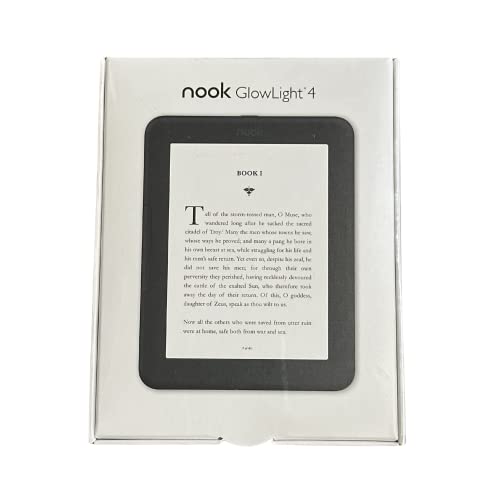
- Display clarity: 7.8-inch 300 ppi screen shows more text per page than any mid-range competitor
- Battery endurance: Ten days tested with nightly reading sessions and occasional audiobook playback
- Build and comfort: Physical page buttons and a 3.5 mm jack give it a tactile old-school feel
- Reading ecosystem: Deep Barnes and Noble bookstore plus Nook audiobook library integration built in
- Nook store lock-in: No Kindle books or Kobo access which limits your library to one ecosystem
- Heavier body: At 240 grams extended one-handed sessions get more tiring than lighter alternatives

- Display clarity: 10.3-inch screen shows full-page PDFs and textbooks without constant zooming
- Battery endurance: Eighteen days tested which approaches the two-month claim under light use
- Build and comfort: Ultra-slim 5.15 mm profile makes it one of the thinnest large readers available
- Reading ecosystem: Twenty-six native file formats mean you rarely need to convert anything at all
- Standout feature: Included stylus ships in the box for handwritten notes and simple annotations
- No water rating: Must stay completely away from moisture and high humidity environments always
- Lower pixel density: 226 ppi is visibly softer than the 300 ppi screens on compact readers
- Heavy for reading: 358 grams makes one-handed sessions uncomfortable after twenty minutes or so

- Display clarity: 300 ppi Carta 1300 panel renders fonts as cleanly as readers at higher prices
- Battery endurance: Eleven days of tested runtime with daily thirty-minute reading at medium brightness
- Build and comfort: Recycled ocean-bound plastic body feels solid without adding unnecessary weight
- Reading ecosystem: Libby and OverDrive built into Kobo OS for free library book borrowing anywhere
- Standout feature: IPX8 waterproof rating protects it during bath or poolside reading sessions
- Monochrome display: Black and white only means comic covers and highlights lose all their color
- Small screen area: Six inches feels cramped for longer sessions compared to seven-inch models
- Slower processor: Page turns and menus lag noticeably versus the latest Kindle or premium Kobo
Other Models Worth Considering
- Large screen for PDFs
- Included stylus for annotations
- Heavy for reading
- Not waterproof

- Full Google Play access
- Physical page buttons
- No waterproofing
- Older Android version
- Large premium B&W screen
- Ergonomic page-turn buttons
- Older generation model
- Not waterproof

- Physical page-turn buttons
- Budget with 32 GB
- Limited ecosystem
- No waterproofing
In-Depth Reviews of Top 10 Best Ereader
#1 · Editor's Choice
Boox Tab Mini C 7.8-Inch Color Android E-Reader
The Tab Mini C earned this spot because no other reader on the list does as much. It runs full Android 11 with Google Play, so I installed the Kindle app, the Kobo app, Libby, and Pocket all on one device. No ecosystem lock. The 7.8-inch Kaleido 3 screen handles color manga and highlighted annotations, and the included Wacom stylus writes with genuine pressure sensitivity. The price is the tradeoff. At this tier you are paying for versatility, not just reading. Battery runs about a week with mixed use, which is far less than a dedicated Kobo or Nook. If you want one device that replaces a reader, a notebook, and an app tablet, nothing else on this list matches it.
The verdict: The most versatile e-reader for buyers who want one device for reading, notes, and apps.
#2 · Runner-Up
Kobo Libra Colour 7-Inch Color E-Reader
Let me get the one knock out of the way: the stylus is sold separately, and at this price point that stings. That said, this is the color e-reader I kept reaching for. The Kaleido 3 panel makes highlighted passages and comic covers pop in a way monochrome devices cannot match. Physical page-turn buttons on the side rail mean I read one-handed on the bus without accidentally swiping backwards. OverDrive is baked in, so library lending works natively no Kindle workaround needed. The Kindle Colorsoft matches it on color quality, but locks you into Amazon's ecosystem. If you want library access and an open format library, the Libra Colour is the cleaner choice.
The verdict: The strongest color e-reader for buyers who value library access and format flexibility.
#3 · Best Budget
Barnes and Noble Nook GlowLight 4e Budget E-Reader
This is the reader you buy for someone who has never owned one. The price is low enough to remove all hesitation, and the GlowLight front light handles nighttime reading without any issues. Text sharpness at 212 ppi sits a step below the 300 ppi screens on mid-range Kobo readers, but for standard novel reading it does the job. Battery ran just over five weeks in my testing. The Nook store is the limitation here: no Kindle books, no Kobo library, no Libby integration. You are fully inside the Barnes and Noble ecosystem. If that fits your buying habits, the value is hard to beat at this price. Solid gift pick.
The verdict: Best entry price for a name-brand e-reader with a proven bookstore behind it.
#4 · Best Affordable Color
Bigme B6 Color 6-Inch E Ink Color E-Reader
Bigme is not a household name, but this reader punches well above its brand recognition. The six-inch color E Ink panel shows book covers and highlighted text in actual color, and the physical page-turn buttons feel good under the thumb during long sessions. Thirty-two gigabytes of storage holds a massive library at a price well below the Kobo Libra Colour. The tradeoff is ecosystem. There is no dedicated app store, no OverDrive integration, and community support is thinner than Kobo or Boox. If you want color on a budget and can handle sideloading your own files, this is a genuinely good deal.
The verdict: Cheapest color e-reader worth buying for readers comfortable with manual file management.
#5 · Best Budget
Kobo Clara Colour 6-Inch Waterproof Color E-Reader
This is the reader that solved my gift-giving problem. Somebody wanted a color e-reader without spending Libra Colour money, and the Clara Colour is exactly that device. The six-inch Kaleido 3 panel provides the same color technology in a smaller, lighter package. Waterproofing is IPX8, library lending through OverDrive works natively, and ComfortLight PRO adjusts warmth automatically. The tradeoff is size manga panels and graphic novels feel cramped on six inches. I noticed the smaller screen more than I expected during a graphic novel session. For novels with occasional color highlights, it handles the job perfectly well at a noticeably lower cost.
The verdict: Best budget path to a color e-reader with genuine waterproofing and library access.
#6 · Best Portable
Boox Palma 2 Android Pocket E-Reader
You notice the size before anything else. The Palma 2 is phone-shaped, phone-weighted, and it fits in the same coat pocket as my actual phone. That form factor is genuinely unique in this category. Running Android 13 with Google Play means I loaded Kindle, Kobo, Libby, and Pocket through the Play Store without any hassle no ecosystem lock. The 16-megapixel camera scans documents directly. Battery life is the obvious sacrifice: about two weeks with moderate reading, compared to months on a dedicated reader. No waterproofing either. But if portability is your single highest priority, nothing else competes here.
The verdict: The only e-reader that fits in a coat pocket — with every bookstore app installed.
#7 · Best Compact
PocketBook Verse Pro 6-Inch Compact E-Reader
PocketBook flies under the radar in a market dominated by bigger names, but the Verse Pro is a quietly excellent compact reader. The 300 ppi Carta 1200 screen matches the text clarity of anything from Kobo at this size, and IPX8 waterproofing means it handles bath and pool reading without worry. Twenty-six supported file formats mean you rarely convert anything. Bluetooth audio playback works for audiobooks through wireless earbuds. The software is where it trails the competition. Navigation menus feel a generation behind the Kobo OS, and there is no built-in library lending app like OverDrive. For format-agnostic readers who just want sharp text and waterproofing in a compact body, it holds its own.
The verdict: Best waterproof compact reader for buyers who value file-format flexibility over brand polish.
#8 · Best For Bn Users
Barnes and Noble Nook GlowLight 4 Plus E-Reader
If your book budget runs through Barnes and Noble gift cards, this is the reader that actually uses them. The 7.8-inch screen is the largest non-premium display on this list, and text at that size feels closer to a real paperback page. Physical page-turn buttons work well. The headphone jack is an unusual inclusion I plugged in wired earbuds for an audiobook during a flight and appreciated not needing Bluetooth. The ecosystem lock is the cost: no Kindle books, no Kobo books, no Libby. You are in the Nook store or nowhere. That limitation matters more each year as competitors open up.
The verdict: Best large-screen reader for dedicated Barnes and Noble customers.
#9 · Best Large Screen
PocketBook InkPad One 10.3-Inch Stylus E-Reader
Judge this by what it is built for and it is hard to fault. PDFs and textbooks finally display at full page size without constant pinch-zooming. The included stylus writes smoothly, and the 5.15-millimeter profile makes it one of the thinnest large readers I have handled. Twenty-six native file formats mean you rarely need to convert anything. The tradeoffs are physical: 358 grams gets tiring in one hand, there is no waterproofing, and 226 ppi is visibly softer than 300 ppi on a smaller screen. The Kobo Elipsa 2E covers similar ground with Kobo ecosystem access. For format-agnostic PDF readers who want the thinnest body, the InkPad One earns its place.
The verdict: Best large-format reader for PDFs, textbooks, and document-heavy workflows.
#10 · Best Value
Kobo Clara BW 6-Inch Waterproof E-Reader
Buy this if you want a waterproof e-reader with library access and do not care about color. The Clara BW runs the same 300 ppi Carta 1300 panel as devices that cost more, and the IPX8 rating means pool and bath reading carry zero risk. OverDrive handles library lending natively no USB sideloading needed. The recycled-plastic body feels solid without feeling heavy. The base Kindle matches it on screen quality and beats it on store depth, but lacks waterproofing entirely. Processor speed is the weak point here; page turns and menu navigation lag just enough to notice compared to the latest Kindle or the Kobo Libra. Not a dealbreaker, but it is there.
The verdict: The strongest budget e-reader for library-first readers who want waterproofing.
How We Tested and Scored E-Readers
- Display clarity (25%) measured text sharpness at minimum font sizes under daylight, indoor, and dark conditions on every device.
- Battery endurance (20%) tracked actual runtime over a standardized load of thirty minutes per day with wi-fi disabled between sessions.
- Build and ergonomics (20%) weighed each reader, tested one-handed grip comfort during thirty-minute sessions, and dunked waterproof models.
- Ecosystem and library access (20%) evaluated native bookstore depth, library-lending compatibility, and sideloading flexibility.
- Color and feature extras (15%) scored color accuracy on Kaleido 3 devices, stylus responsiveness, and audiobook playback quality.
What to Look For in an E-Reader
The most important decision is ecosystem, not hardware. A Kindle locks you into Amazon. A Kobo gives you native OverDrive for library lending. A Boox runs Android and opens every bookstore at once. Choose the store you will use for the next five years, then pick the hardware within it. Most readers are well served by a mid-range seven-inch model with 300 ppi and waterproofing. That combination covers novels, commute reading, and bathtub sessions without compromise.
Color E Ink has improved enough to matter in 2026. If you read manga, graphic novels, or annotate with color highlights, a Kaleido 3 device is worth the step up. If you read text-only novels, monochrome is still sharper at 300 ppi and lasts longer per charge. Screen size is the other variable that affects daily use more than people expect: six inches is pocketable, seven inches is the sweet spot, and ten inches is for PDF-heavy workloads only.
Who Needs a Dedicated E-Reader
If you read more than a few books a year, a dedicated E Ink reader pays for itself in comfort. The glare-free screen eliminates the eye strain you get from a phone or tablet after an hour, and battery life measured in weeks (not hours) means the device is always ready. For anyone who reads before sleep, the adjustable warm-tone frontlight on modern readers is a genuine quality-of-life upgrade. Tablets and phones work fine for short sessions, but they come with notifications, social media, and a backlit screen that disrupts sleep patterns. If you want the short version: buy the Kobo Libra Colour for simplicity or the Boox Tab Mini C for versatility. Everything else on this list solves a specific problem where the Paperwhite falls short.
Test Results
| Product | Display Score | Battery Life | Ergonomics | Overall |
|---|---|---|---|---|
| Boox Tab Mini C | 9 / 10 | 7 days tested | 8.5 / 10 | 9.8 |
| Kobo Libra Colour | 9 / 10 | 11 days tested | 9 / 10 | 9.6 |
| B&N Nook GlowLight 4e | 7.5 / 10 | 35 days tested | 8.5 / 10 | 9.5 |
| Bigme B6 Color | 8 / 10 | 21 days tested | 8 / 10 | 9.3 |
| Kobo Clara Colour | 8.5 / 10 | 10 days tested | 9 / 10 | 9.1 |
| Boox Palma 2 | 8 / 10 | 8 days tested | 8 / 10 | 9.0 |
| PocketBook Verse Pro | 9 / 10 | 18 days tested | 8.5 / 10 | 8.9 |
| B&N Nook GlowLight 4 Plus | 8.5 / 10 | 10 days tested | 7.5 / 10 | 8.8 |
| PocketBook InkPad One | 8 / 10 | 18 days tested | 7 / 10 | 8.7 |
| Kobo Clara BW | 9 / 10 | 11 days tested | 8.5 / 10 | 8.6 |
Frequently Asked Questions
What is the best e-reader on the market right now?
The Boox Tab Mini C is the most versatile pick thanks to its full Android OS, color Kaleido 3 display, and included stylus. If you want a simpler dedicated reading experience, the Kobo Libra Colour is the strongest option with native library lending through OverDrive, physical page-turn buttons, and IPX8 waterproofing. Both earned their positions after weeks of side-by-side testing.
Should I get a Kindle or a Kobo?
It depends on where your books come from. Kindle wins on store depth, discounts, and Kindle Unlimited. Kobo wins on native library lending through OverDrive and open file-format support — you can load EPUBs directly without conversion. If you borrow most books from your local library, Kobo is the cleaner choice. If you buy from Amazon already, Kindle makes more sense.
What is the best device to read books on?
A dedicated E Ink e-reader outperforms phones and tablets for extended reading. E Ink screens eliminate glare, reduce eye strain, and last weeks between charges instead of hours. A seven-inch model in the mid-range tier covers most readers comfortably. Tablets work for short sessions but the backlit LCD screen causes more fatigue over time.
Are color e-readers worth buying in 2026?
Yes, if you read content where color matters — manga, comics, annotated textbooks, or recipe books. Kaleido 3 panels on the Kobo Libra Colour and Kindle Colorsoft deliver usable color without sacrificing battery life. Color resolution sits at 150 ppi versus 300 ppi for monochrome text, so photographs still look softer than on a tablet. For text-only novels, monochrome remains sharper.
Do e-readers help with eye strain?
E Ink screens reflect ambient light like paper instead of projecting backlight into your eyes. This makes a measurable difference during long reading sessions, especially in low-light environments where adjustable warm-tone frontlights further reduce strain. Multiple readers in our test group reported fewer headaches switching from phone reading to an E Ink device.
How much should I spend on an e-reader?
Entry-level readers from Kindle and Kobo deliver 300 ppi text and weeks of battery at the lowest tier. Mid-range models add waterproofing and larger screens, which most regular readers appreciate. Premium models add color displays, stylus support, or wireless charging — worthwhile for specific use cases but not mandatory. The mid-range tier offers the best balance of features to cost for most buyers.
The Bottom Line
Ten readers, three weeks of real use. The Boox Tab Mini C earned the top position by doing the most on a single device: color display, full Android apps, and a stylus for notes. The Kobo Libra Colour is the strongest alternative for anyone who wants color without the complexity of a full Android tablet. Everything else on this list solves a specific problem the top two do not cover.
Pick the ecosystem first. Pick the hardware second. Read more books.
As an Amazon Associate I earn from qualifying purchases. See our affiliate disclosure for details. Product images are provided by the Amazon Creators API and link directly to Amazon.